Recommendations3 min read
SpecForge
SpecForge brings the plan, the implementation and the review of a change into one place. You can read why a change was proposed, follow its tasks across branches, inspect the commits and review the pull request, across all your repositories.
I built it for the point where keeping track of spec-driven work becomes work of its own. With several agents working in separate worktrees, the proposal, the latest task list and the code you need to review can be in different checkouts. SpecForge keeps those connections visible as the files and commits change.
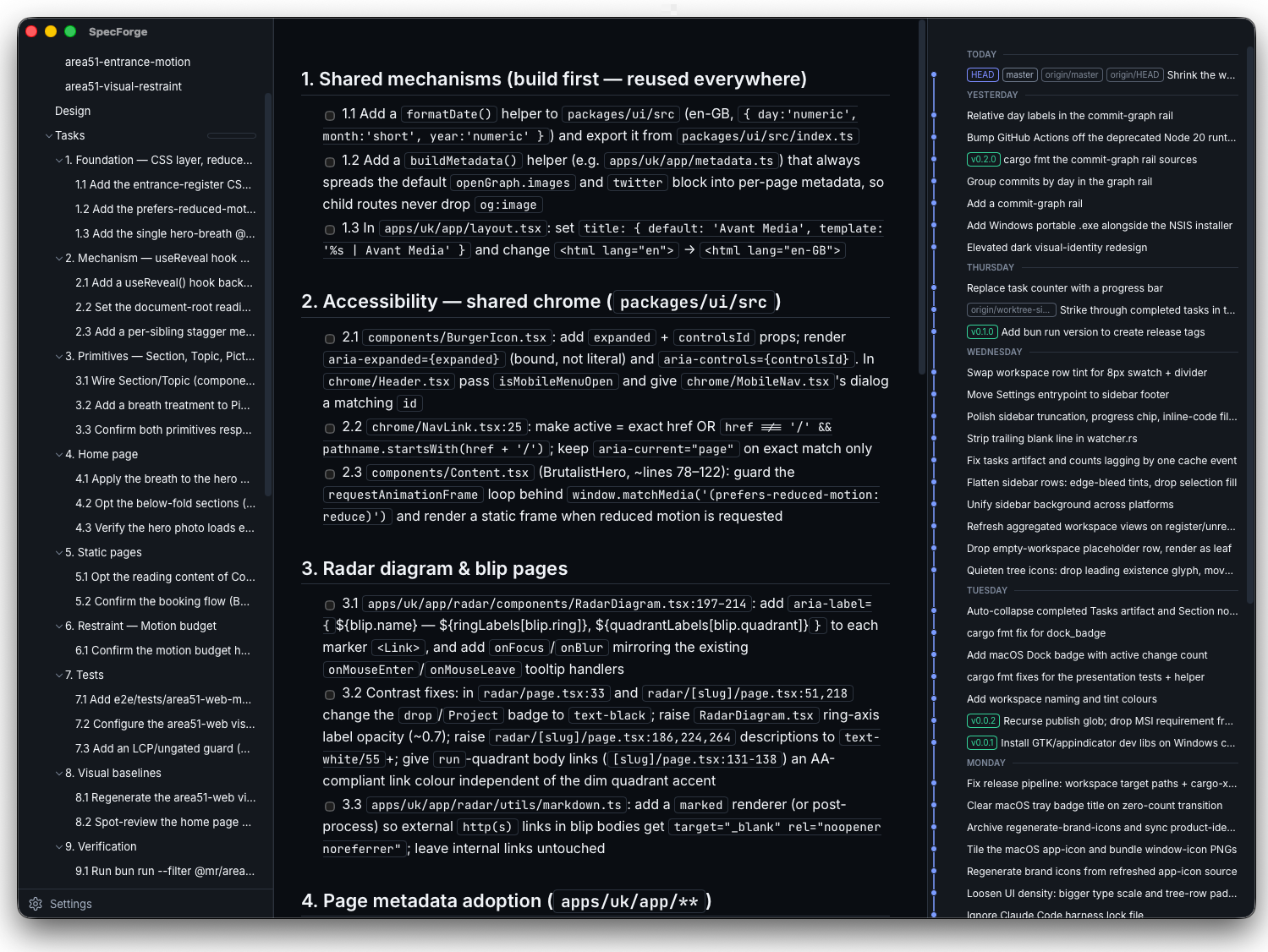
Follow the work across repositories
Register a repository once and SpecForge discovers its sibling worktrees, including new ones created while it is running. A change present in three checkouts appears as one change, with each branch's copy available to read. Task progress, uncommitted changes and divergence markers help you see which copy is current and which has fallen behind.
The dashboard gathers what is in flight and what shipped today, alongside your activity heatmap and a commit garden showing each repository's commits for the day. Repositories without specs can sit beside the OpenSpec workspace too, so an API, a web client and their shared planning repository are all visible.
Read the reasoning beside the code
Proposals, designs, specs and tasks render as documents, with highlighted code, Mermaid diagrams, maths and SVG illustrations. An outline helps you move through a long design; a separate reader window lets you keep it open beside the implementation. Archived changes keep earlier decisions within reach.
The repository-wide git graph sits alongside the document. Open a commit to inspect its files in a unified or side-by-side diff. Changed images show both versions, with a difference view for matching dimensions and synchronised zoom for small visual changes.
Review a pull request without losing your place
GitHub and BitBucket pull requests open inside SpecForge with their descriptions, conversations, checks and changed files. Matching pull requests link back to their local worktrees and the OpenSpec changes there, so the reasoning is close at hand while you review the diff. GitHub also lists requests waiting for your review.
Mark a whole file viewed or work through it hunk by hunk. Reviewed hunks fold away, and the marks follow their content: after another push, only the hunks that changed need reviewing again. Skip patterns can keep generated files or other paths out of the review count. Progress stays on your machine and carries across sessions.
Use it where you work
- The desktop app runs on macOS, Windows and Linux, with a menu-bar or tray count of distinct active changes and notifications when a change starts or is archived.
- The browser UI has the same document and review tools, with addresses you can bookmark. Run it locally or reach it from another device, including a phone, over Tailscale Serve.
- The terminal UI lets you browse changes, tasks, the dashboard and commit history over SSH. Its status modes also work in scripts, shell prompts and tmux.
The desktop and terminal interfaces also have optional Claude and ChatGPT quota gauges, showing usage against the time left in each allowance window.
SpecForge is read-only towards your work: it reads your existing files and git history, without editing specs, ticking tasks or posting to pull requests. Its own settings and review progress live outside your projects. The pull-request integrations and quota gauges are off until you enable them. OpenSpec is the spec format it supports today.
Try SpecForge
SpecForge is free and MIT licensed. Start the browser UI through npm, without a separate installer or a Gatekeeper prompt:
npx @avantmedia/specforgeOpen http://127.0.0.1:4317 and add your repositories in Settings.
The desktop app and the terminal UI are on the GitHub releases page, the package is on npm, and the documentation is on the SpecForge site. It is in active development, and the desktop builds are currently unsigned.
Related reading